Introduction to Gaming PCs
Table of Contents: Key Components of a Gaming PC Best Prebuilt Gaming PCs Building Your Own Gaming PC Budget Allocation Example Build FAQ Is it true that the right gaming setup makes all...
9jaOnCloudIntroduction to Gaming PCs
Table of Contents:
This setup gives great performance for 1440p along with 4K gaming. The Ryzen 7 7800X3D gives you great CPU performance. The Radeon RX 9070 takes care of graphics.
- Key Components of a Gaming PC
- Best Prebuilt Gaming PCs
- Building Your Own Gaming PC
- Budget Allocation
- Example Build
- FAQ
Key Components of a Gaming PC
A gaming PC is formed from several components. Each has a very important part in the whole.- Graphics Card (GPU)- The GPU handles the graphics processing. It lets games run smoothly so they look great. High-end GPUs like the NVIDIA GeForce RTX series, or the AMD Radeon RX series are well-liked among serious gamers.
- Processor (CPU)- The CPU manages the system's overall performance. It makes sure it handles the demands of the GPU, as well as other system tasks. CPUs such as AMD Ryzen 7 9800X3D, alternatively Intel Core Ultra 7 are highly recommended because of their performance.
- Memory (RAM) and Storage- Adequate RAM (at a minimum 16 GB, though 32 GB is recommended) lets the system handle many tasks at the same time without slowing down. Fast storage, such as SSDs, has great importance for quick loading times including a responsive performance.
- Power Supply (PSU)- A sufficient PSU sends all components the needed power for working properly. A 650W PSU is usually enough for most builds, even though higher-end systems may need extra power.
Best Prebuilt Gaming PCs
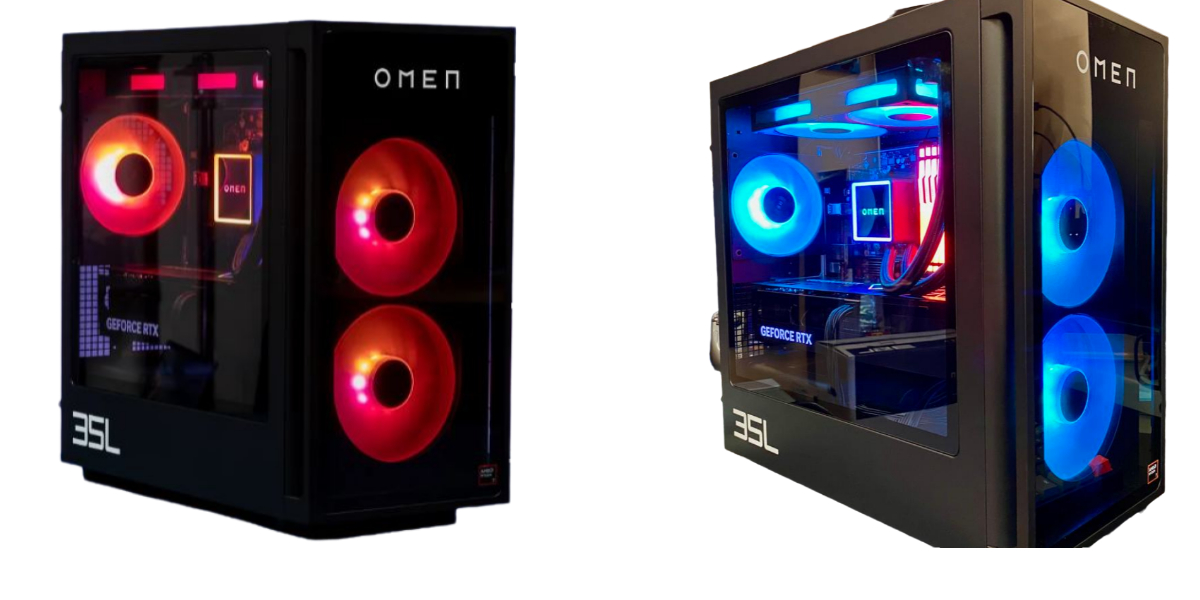
For people who do not want to build their own PC, prebuilt gaming PCs give a simple answer. These are a few of the better options:- HP Omen 35L- It is one of the most recommended PCs because of its strong components in addition to a well-designed chassis. It can be setup with high-end CPUs, also GPUs, so it is a top pick for serious gamers.
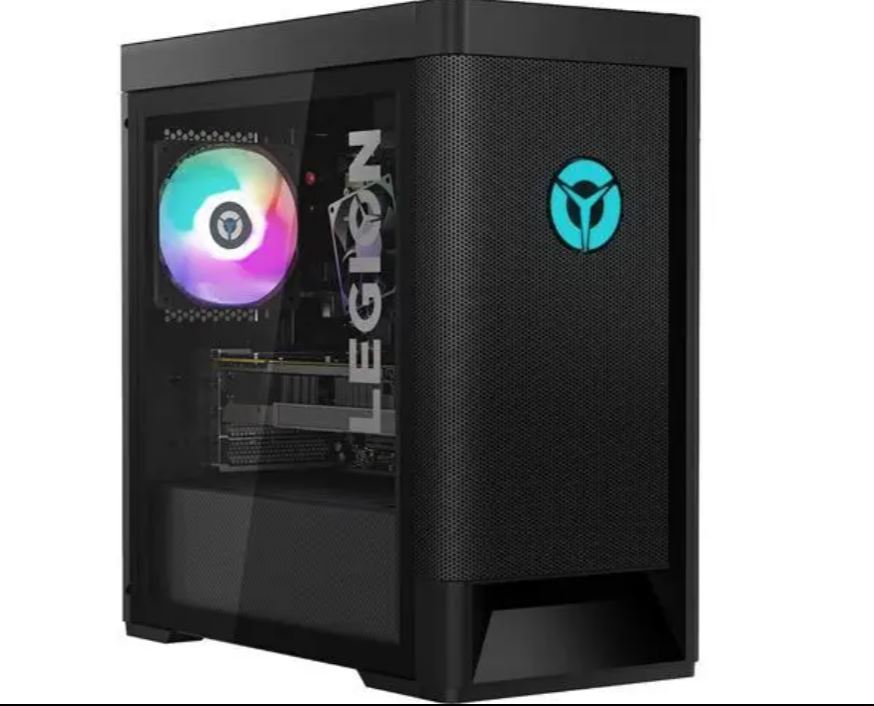
- Lenovo Legion Tower 5I- For gamers on a budget, the Lenovo Legion Tower 5I balances performance with price. It's good for those who want a start in gaming without spending too much.
Building Your Own Gaming PC
Building a gaming PC yourself is a rewarding experience. It allows you to change your system to suit what you want, also what you can afford. This is a guide for getting started:Budget Allocation
How do you allocate your budget when building a gaming PC?- GPU- Set aside 30-40% of your budget for the GPU because it is the most needed component for gaming.
- CPU- Set aside 20-30% for a high-performance CPU that works well with your GPU.
- RAM as well as Storage- 10-15% each for enough RAM as well as fast storage.
- PSU plus Case- Be certain you have enough power in addition to a well-ventilated case to keep your components cool so they run well.
Example Build
For a high-end gaming PC, consider this following parts:| Component | Product | Price |
| Processor | AMD Ryzen 7 7800X3D | $385 |
| CPU Cooler | Thermalright Burst Assassin 120 Evo | $30 |
| Motherboard | Gigabyte B650 Aorus Elite AX | $200 |
| Memory | 32GB (2 x 16GB) DDR5-6000 CL30 | $70 |
| Storage | SK Hynix P41 Platinum 2TB | $150 |
| Graphics | AMD Radeon RX 9070 | $700 |
| PSU | Thermaltake Toughpower GF3 750W | $90 |
| Case | Cooler Master HAF 500 | $100 |
| Total | $1,725 |